FLEX Drive: connecting user files, shared data and analysis workspaces
The FLEX Drive provides users of the FLEX Collaborative Platform (CP) with a storage space to manage working files, share data with other users and access material directly from the platform’s analysis environments.
Users can keep datasets, processing inputs and outputs, notebooks, configuration files, documentation and other working material in one place, close to the tools they use on the platform.
Files and folders can also be shared with other FLEX users, making Drive a common workspace for activities involving multiple users or teams.
A workspace for your FLEX data… and more!
FLEX Drive is accessible directly from the CP through its web interface.
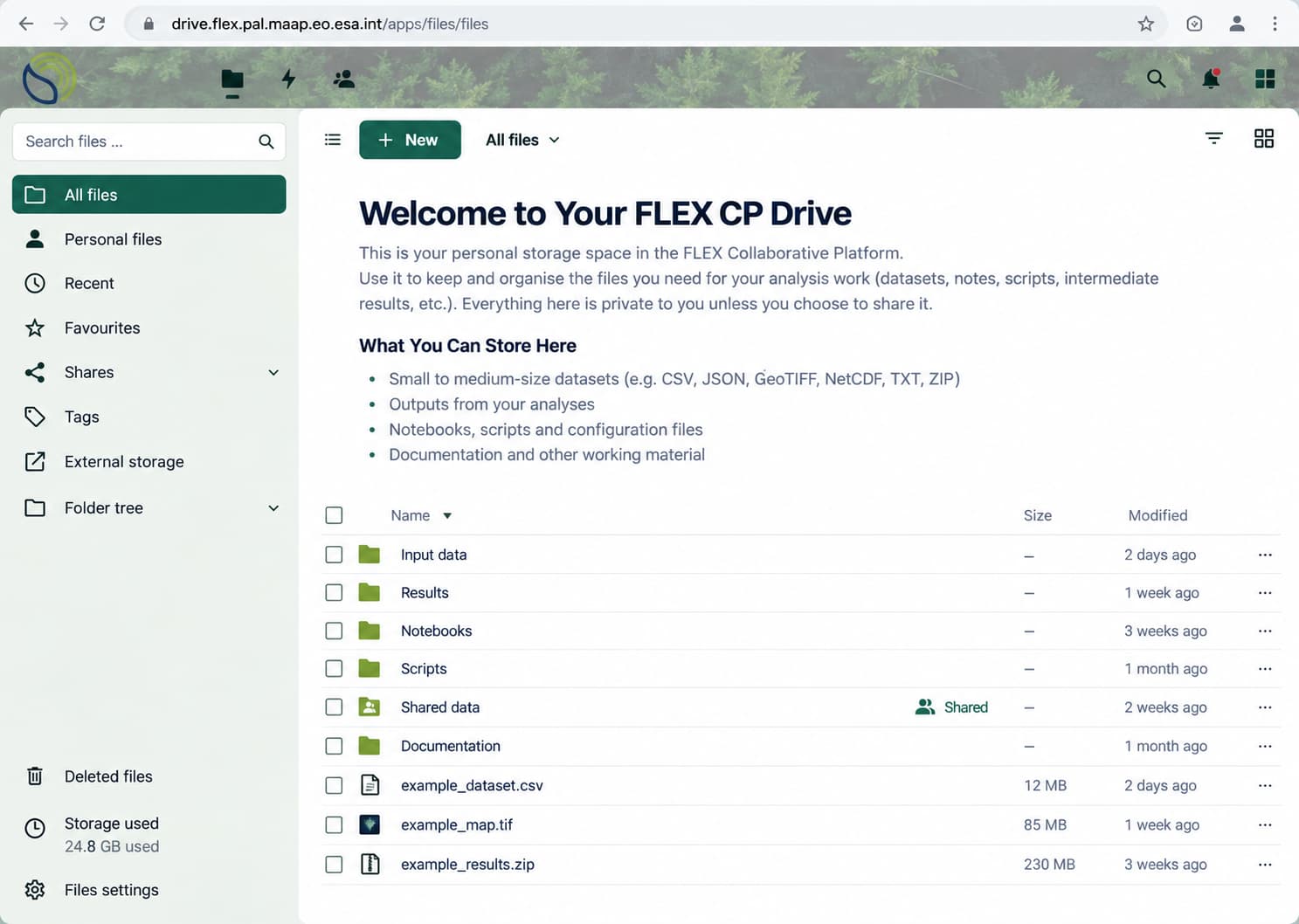
The web interface provides familiar file-management capabilities for uploading, downloading and organising files and folders.
Typical content may include:
- input and reference datasets
- processing or analysis results of CalVal tools
- supporting material for notebooks and applications
- scripts and configuration files
- files in common formats such as CSV, JSON, GeoTIFF, NetCDF, TXT and ZIP
Drive is intended primarily as working storage for data that users need during their activities on the Collaborative Platform.
Accessing Drive from CP applications
A key feature of FLEX Drive is its integration with the applications available through the FLEX CP.
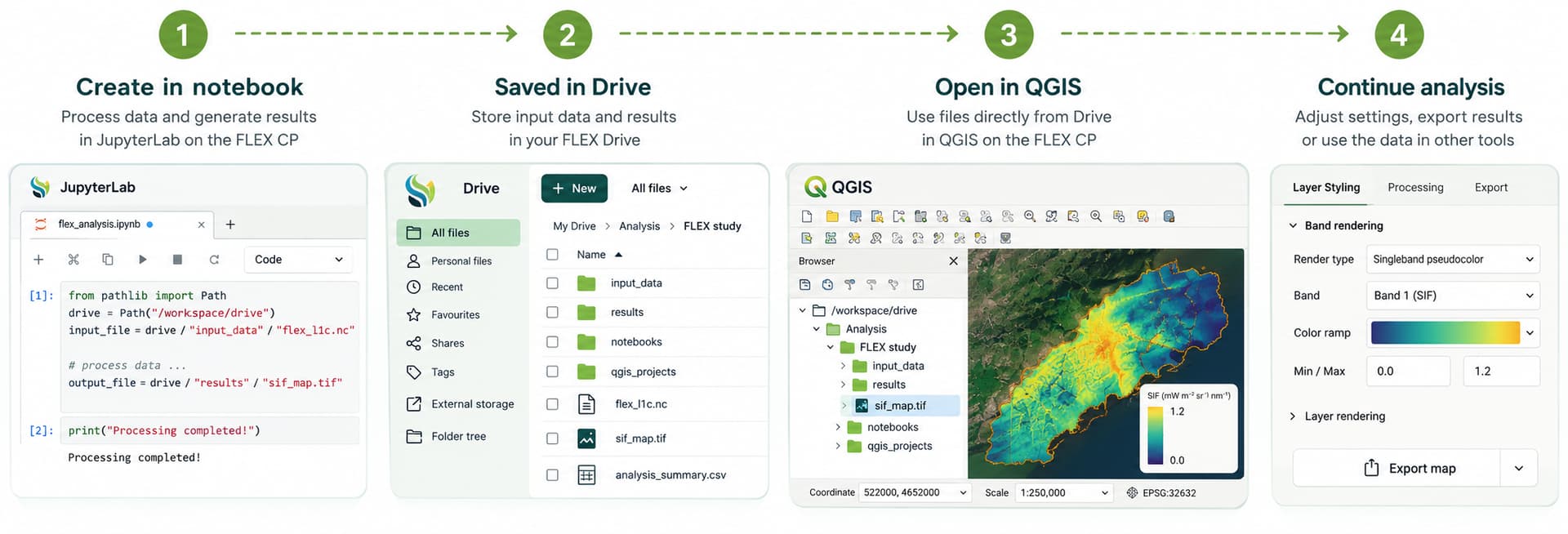
When launching an application such as JupyterLab, VS Code or QGIS , the same Drive content is available directly inside the workspace under:
/workspace/drive/
This allows files and results to move seamlessly between different applications. For example, results generated in a JupyterLab notebook can be saved to Drive and opened directly in QGIS for further visualisation and analysis.
From service execution to data analysis and collaboration
FLEX Drive also provides a common link between processing services, their outputs and the analysis applications available on the FLEX CP.
For services configured to store their outputs in Drive, a typical workflow is:
- Run a processing service on the FLEX CP
- The generated outputs are stored in a dedicated location in FLEX Drive
- Access the results directly from applications such as JupyterLab or QGIS
- Continue analysing, visualising or sharing the results as needed
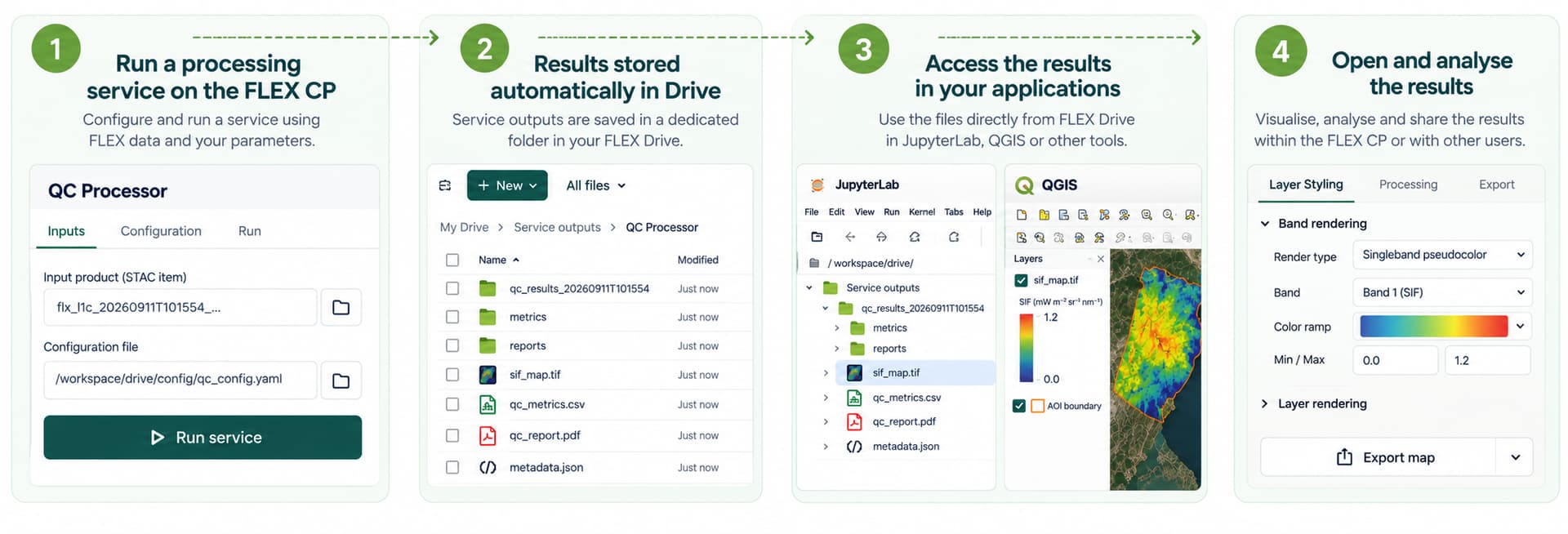
This provides a convenient way to move from service execution to interactive analysis, while keeping the generated data accessible from a common storage space.
Validation Teams use case
FLEX Drive also provides a collaborative workspace for the FLEX Validation Teams. Up to 40 teams are expected to use the FLEX CP, with 28 teams currently involved and typically around three key members per team.
A practical example is the calval-tools-outputs shared area, which provides dedicated folders for the outputs generated by the different Cal/Val tools:
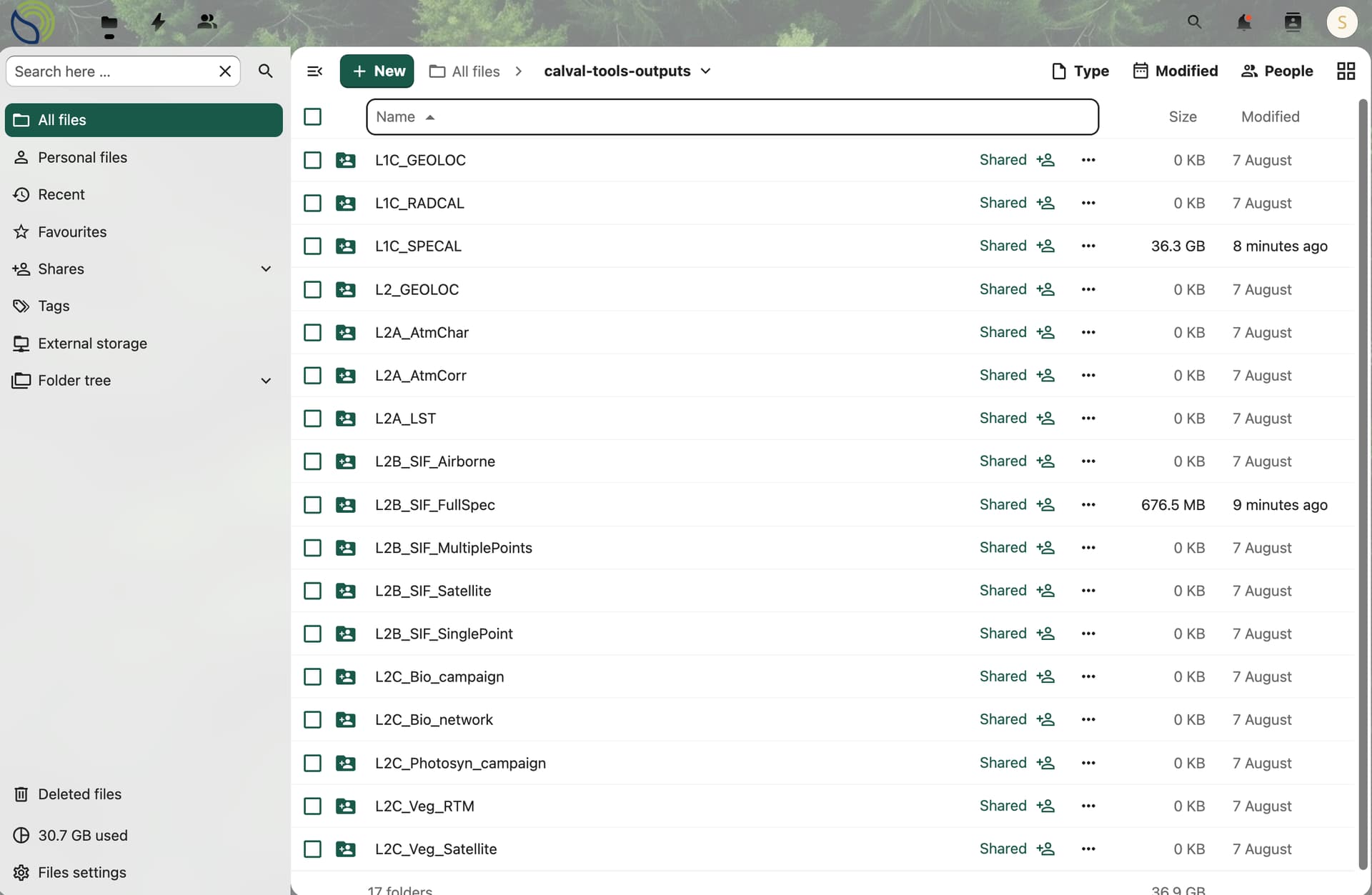
Members of each Cal/Val team can access the output folder associated with their tool, providing a common space where results and supporting data can be exchanged within the team.
Files and folders can also be shared with additional FLEX users when needed, allowing access to be extended to collaborators while keeping the different team workspaces organised.
This collaborative model complements the FLEX Git environment, which currently hosts more than 20 groups and more than 40 projects, providing teams with dedicated spaces for both data and code collaboration.
Working with larger datasets
Files can be uploaded and downloaded directly through the Drive web interface.
For larger datasets or repeated transfers, users can also connect to FLEX Drive using the Nextcloud Desktop Client, allowing files to be transferred or synchronised directly from their local computer. See Transferring large files using the Nextcloud Desktop Client for more details.
Together, these capabilities make FLEX Drive a central working space for managing data throughout FLEX CP activities — from data preparation and analysis to result sharing and collaboration.